Chapters split a YouTube video into labelled sections on the progress bar. Viewers can see what is coming, skip to the part they need and rewatch a step without scrubbing back and forth. For long tutorials, reviews, podcasts and lessons they make a real difference, and Google sometimes shows them in search results as "key moments".
Adding chapters only takes a list of timestamps in your description, but a single mistake stops YouTube from showing any of them. This guide explains the rules, how to write the list, and how to fix chapters that do not appear. You can follow along with the free YouTube Timestamp & Chapter Generator.
How YouTube chapters work
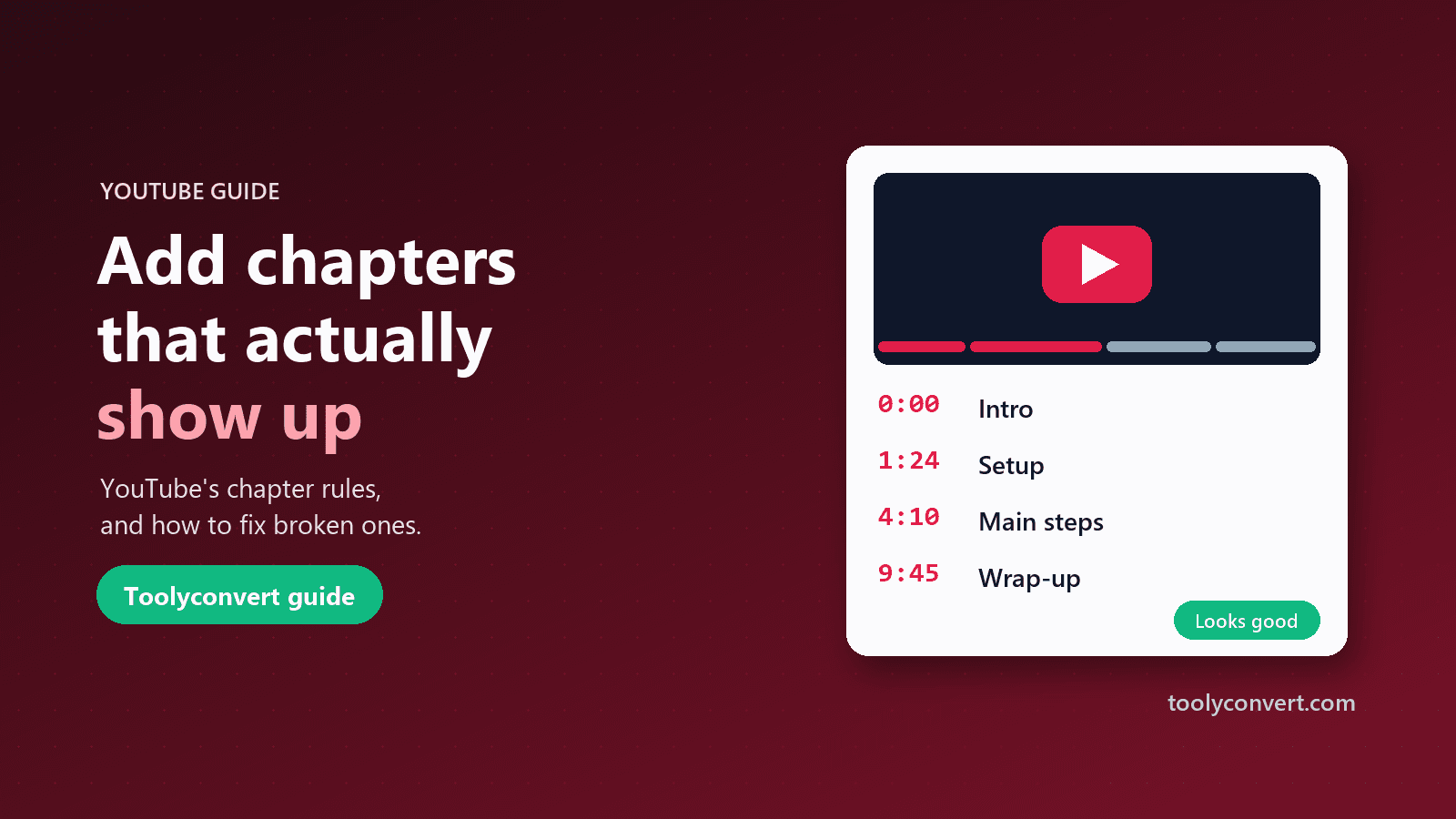
You create chapters by adding a list of timestamps and titles to your video's description, one per line:
0:00 Intro
1:24 What you need
4:10 Step 1: Setting up
9:45 Step 2: The main build
15:30 Final result and tips
YouTube reads the list when you save the description and turns each line into a chapter. The title appears on the progress bar when viewers hover or drag, and in a chapter list under the video. The timestamps also become clickable links in the description.
The rules YouTube checks
YouTube only creates chapters when the list follows these rules. If any one is broken, no chapters appear at all:
- The first timestamp must be 0:00. Not 0:01, not 00:05. Without a chapter starting at the very beginning, YouTube ignores the whole list.
- There must be at least three timestamps.
- Timestamps must be in ascending order. Each one must come after the one before it.
- Each chapter must be at least 10 seconds long. Two timestamps eight seconds apart break the list.
- Each timestamp must be inside the video. A chapter starting after the end of the video is invalid.
A few more practical points: put each timestamp at the start of its own line, use minutes and seconds (2:05) or hours, minutes and seconds for long videos (1:02:05), and keep the list together in one block.
Some channels also cannot use chapters on certain videos, for example videos marked as made for kids or channels with active community guideline strikes.
How to create chapters step by step
- Watch your video and note where each section starts. Use natural breaks: a new step, a new topic, a new question.
- Open the Timestamp & Chapter Generator. Two example markers are filled in to show the format.
- Add a chapter marker for each section. Enter the time and a short title. New markers start one minute after the last one, so you only need to adjust them.
- Watch the rule checker. As you type, the tool lists any problems in plain words, such as "The first timestamp must be 0:00" or "Chapter 2 is shorter than 10 seconds". When everything passes you see "Looks good: YouTube should show these as chapters."
- Copy the description code and paste it into your video's description in YouTube Studio.
- Save and check the video. Chapters usually appear shortly after you save.
Importing chapters from an existing video
If a video already has timestamps in its description, you can load them instead of typing them again. Paste the video link into the generator and press Import chapters. The tool reads the timestamps from the description, loads them as markers and checks them against the rules, including whether the last chapter starts before the video ends.
This is useful in two situations:
- Fixing your own uploads. If chapters never appeared on one of your videos, import it and the checker shows exactly which rule is broken.
- Learning from others. See how popular videos in your niche divide their content and how long their chapters are. The YouTube Video Info & Tag Extractor also lists a video's chapters with clickable links, alongside its tags and stats.
Why your chapters are not showing
Work through this list, most common cause first:
- No 0:00 line. By far the most frequent mistake, especially when people start the list at the first real topic.
- A chapter shorter than 10 seconds. Often a quick intro or a sponsor note.
- Fewer than three timestamps.
- A typo in a time, such as 1:5 instead of 1:05, or a full stop instead of a colon.
- Out-of-order times, usually after editing the video and moving sections around.
- The list is broken up, with other text or links between timestamps. Keep it as one block.
- Automatic chapters are interfering. In YouTube Studio, your own timestamps take priority, but you can also turn automatic chapters off under the video's details if you prefer full control.
- The video is not eligible, for example because it is set as made for kids.
The checker in the generator catches the first six automatically.
Writing chapter titles that help viewers
The timestamp gets chapters to appear; the title decides whether they are useful.
- Be specific. "Installing the drivers" beats "Part 2".
- Keep titles short. Long titles are cut off on the progress bar, especially on phones.
- Match what viewers search for. If people search "how to reset the router", a chapter named "Resetting the router" helps them find it, both on YouTube and in Google's key moments.
- Avoid clickbait. A chapter called "The shocking truth" tells viewers nothing about what is there.
- Mark the payoff clearly. In reviews, a chapter named "Verdict" saves impatient viewers time and makes them more likely to come back.
For the video's main title, our guide on how to write better YouTube titles applies the same principles.
Chapters and search
Chapters help discovery in two ways. On YouTube, they make long videos easier to navigate, which tends to keep viewers watching. In Google Search, chapters are one of the signals Google can use to show "key moments", links that jump straight to a section of your video from the results page. Descriptive chapter titles give Google better material to work with.
Chapters work best alongside a clear description. Lead your description with a one- or two-line summary, then add the chapter list, then links and credits. If you research how other videos structure their descriptions, our guide on finding a video's tags and data shows how to see everything a video's creator added.
Common questions
Do I have to use 00:00 or 0:00? Either works. What matters is that the first chapter starts at zero.
Can I add chapters to a Short? Shorts are too short for chapters to be useful, and YouTube does not show them on Shorts.
How long should chapters be? At least 10 seconds by YouTube's rules. In practice, chapters of one to five minutes work well for most tutorials.
Do chapters appear on old videos? Yes. Edit the description of any existing video, add a valid list and save.
Will editing chapters affect my video's performance? Editing the description does not reset views or ranking.
Quick checklist
- Start with 0:00, use at least three timestamps, keep them in order and at least 10 seconds apart.
- Write short, specific chapter titles.
- Check the list in the Timestamp & Chapter Generator before pasting.
- Paste the list as one block in your description and save.
- Use the YouTube Title Generator to make the title as clear as your chapters.
Chapters take a few minutes to add and keep paying off for the life of the video. Get the rules right once, and they will show up every time.