Create Product Mockups
in Seconds
Put your logo or artwork on mugs, T-shirts, tote bags and posters, with a curved print, realistic lighting and built-in AI background removal.
Everything You Need for Professional Mockups
A complete browser-based editor with layer management, AI processing, and one-click export.
Layer-Based Editor
Stack multiple images, reorder layers, and compose professional mockups with full control.
AI Background Removal
Automatically removes backgrounds from uploaded images using AI. No manual editing needed.
Drag, Resize & Rotate
Position designs precisely with intuitive drag handles, corner resize, and free rotation.
Blend Modes & Opacity
Use Multiply for tattoos, Screen for light effects, and adjust opacity for realistic integration.
Export PNG, WebP, JPG
Download your mockup in the format you need. PNG for transparency, WebP for smaller files.
Privacy First
All editing happens in your browser. Only background removal uses our secure server — nothing is stored.
How It Works
From upload to finished mockup in 4 simple steps.
Choose a Base
Upload your product image or pick from our templates (mug, shirt, phone case, poster).
Add Your Design
Upload a logo, artwork, or photo. AI removes the background automatically if needed.
Position & Style
Drag to move, corner handles to resize, adjust blend mode and opacity for perfect integration.
Export & Share
Download your finished mockup as PNG, WebP, or JPG. Ready for social media, e-commerce, or print.
What Can You Create?
From brand mockups to tattoo previews — works with any product image.
Mug & Cup Mockups
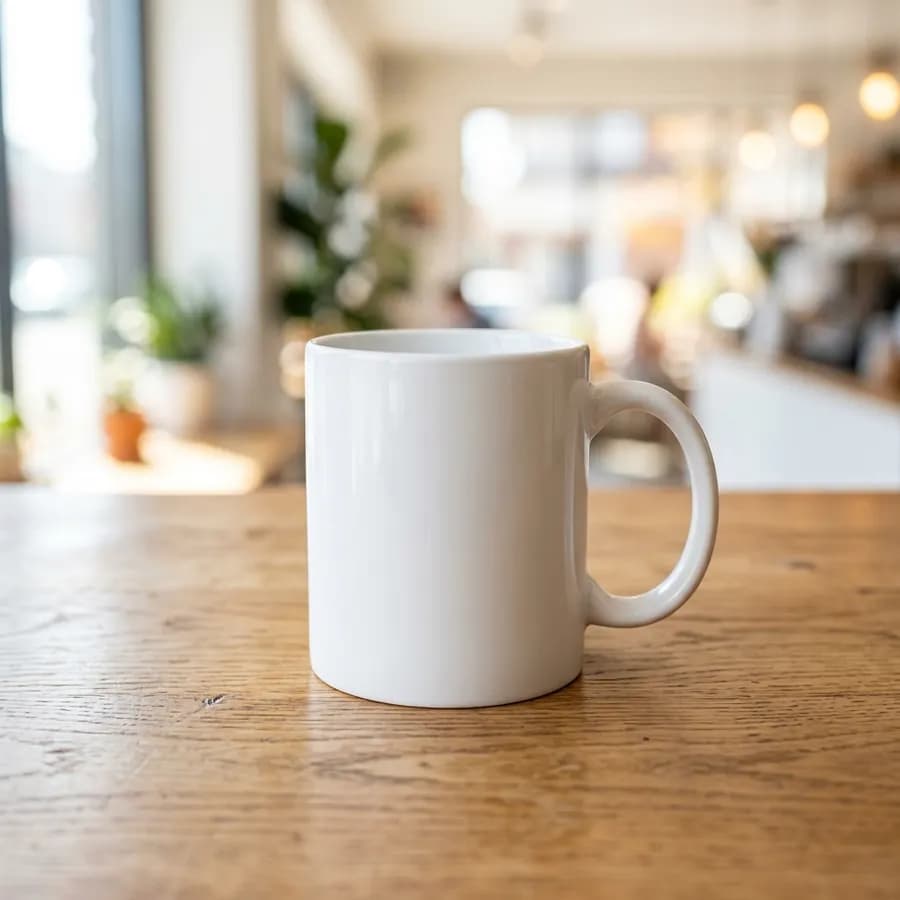
Place your logo on coffee mugs and cups for brand presentations and e-commerce listings.
T-Shirt Designs
Preview print designs on T-shirts. Use Multiply blend mode for realistic fabric integration.
Phone Case Designs
Showcase custom phone case artwork with proper positioning and perspective.
Poster & Art Prints
Frame your artwork in realistic poster frames for portfolio and gallery previews.
Tote Bag Branding
Preview brand designs on tote bags for merchandise mockups and client presentations.
Tattoo Previews
See how a tattoo design looks on skin. Adjust opacity and blend mode for realistic results.
Start From a Template
Pick a product photo and the editor opens with it ready. Then add your design.
Mockups That Look Printed, Not Pasted
The details that make a design look like it is really on the product.
Curve around mugs
Cylinder warp bends a flat design around a curved surface, so it follows the shape of the mug.
Perspective corners
Drag four corners to match a poster, box or screen photographed at an angle.
Lighting and shadow
Surface sliders let the product’s own highlights and shadows show through the print.
Blend modes
Multiply for ink on fabric and ceramics, Screen for light effects, plus opacity control.
Layers
Stack several designs, reorder them and adjust each one separately.
Undo history
Experiment freely: every change can be undone with Ctrl+Z and redone with Ctrl+Shift+Z.
Frequently Asked Questions
Everything you need to know about creating product mockups.
Is the mockup editor free to use?
Yes. Creating product mockups is free with no sign-up and no watermark. Editing happens in your browser; the optional AI background removal has a fair-use limit of 10 images per minute.
How do I make my design look realistic on the product?
Switch the design layer blend mode to "Multiply" so product shadows and fabric texture show through, then fine-tune opacity and the surface lighting sliders for a printed-on look.
Does it remove the background from my design automatically?
Yes. When you add a design that has no transparency, the editor runs AI background removal on our server and returns a clean cutout you can position on the product.
What products can I create mockups for?
Anything with a photo: mugs, T-shirts, phones, posters, tote bags, packaging and more. Upload your own product image or start from one of six built-in templates.
What formats can I export?
Export your finished mockup at full resolution as PNG, JPG or WebP, ready for product listings, portfolios and social media.
Do my images stay private?
All editing happens in your browser. Only the optional AI background removal is sent to our server, over HTTPS, and those images are deleted straight after processing.
Ready to Create Your Mockup?
No download, no sign-up, no watermark. Just open and start designing.
Launch Mockup Editor