Compress PDF – Reduce PDF Size to 100KB, 200KB, 500KB
Reduce PDF file size online for free. Shrink scanned and image-heavy PDFs for email, uploads and portals with High, Medium or Low quality, while text stays sharp.
Select PDF file
or drop it here
Free
No sign-up
Up to 100 MB
Did this tool work for you?
Community
User Reviews & Ratings
Be the first to share your experience
About this tool
About Compress PDF
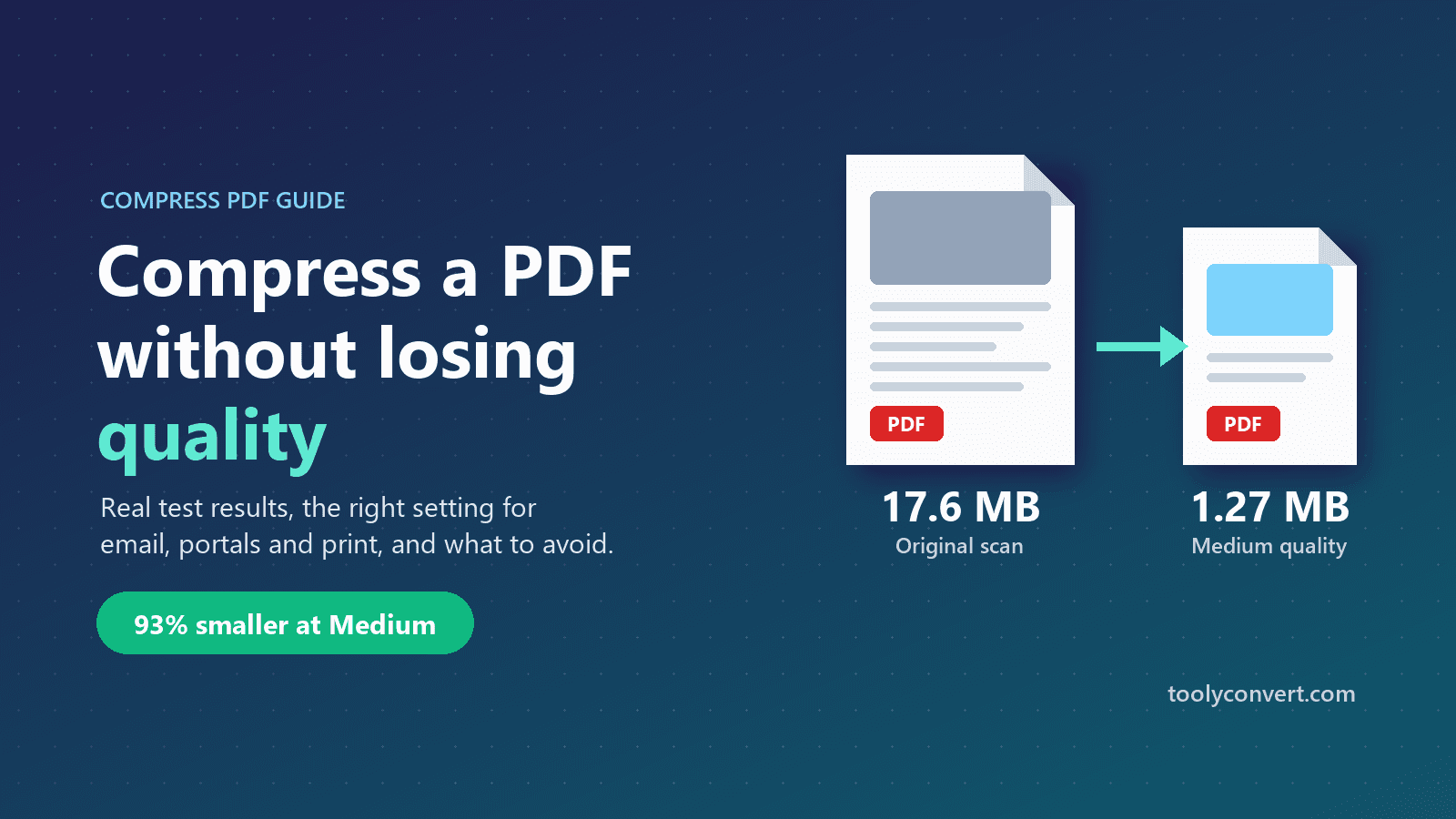
Compress PDF is a free online tool that reduces the file size of a PDF so you can email it, upload it to a portal or store it without running into size limits. Most large PDFs are large because of the images inside them: scanned pages, phone photos and screenshots. The tool shrinks exactly those. For each embedded image it lowers the resolution so the longest side fits the level you choose (2400, 1600 or 1000 pixels) and re-saves it as a JPEG at quality 85, 65 or 40, keeping the new version only if it is actually smaller. Text, fonts and vector graphics are never turned into images, so words stay sharp and selectable at any zoom. Unused objects are removed and internal streams are compressed as a final step. In our own test, a 17.6 MB scanned PDF came out at 4.4 MB on High, 1.27 MB on Medium and 0.29 MB on Low. It works in any browser on Windows, Mac, Android and iPhone, with no app, no sign-up and no watermark. Your file is processed on our server over HTTPS, returned to you, and deleted immediately afterwards.
How to use Compress PDF
1
Choose your PDF
Select one PDF of up to 100 MB from your computer or phone. If it is password-protected, remove the password first with Unlock PDF.
2
Pick a quality level
High keeps images up to 2400 px on their longest side (best for printing), Medium up to 1600 px (email and sharing), and Low up to 1000 px (the smallest file, for strict upload limits).
3
Compress
Each embedded image is resized and re-encoded as JPEG, and kept only if the result is smaller. Unused objects are removed and streams are compressed.
4
Download and check
Save the smaller PDF and zoom in on the finest text in any scanned area. If it is still easy to read, you're done. If not, run the original again one level higher.
Key features
Text stays sharp
Only raster images are recompressed. Text, fonts and vector graphics are left as they are, so words stay crisp and selectable.
Big savings on scans
Scanned and photo-heavy PDFs shrink the most. In our test a 17.6 MB scan dropped to 1.27 MB at Medium, 93% smaller.
Three clear quality levels
Each level has a fixed image-size cap and JPEG quality (2400 px/85, 1600 px/65, 1000 px/40), so you know what you get.
Never makes images bigger
If re-encoding an image wouldn't save space, for example an already-optimised JPEG, the original image is kept.
1 / 2
When compressing a PDF helps
Typical situations where file size is the problem
Email attachments
Gmail limits attachments to 25 MB and Outlook.com to 20 MB. Scanned contracts and photo-heavy reports often go over.
ExampleA 38 MB scanned rental agreement with 20 pages of 300 DPI scans, compressed at Medium, is usually small enough to attach.
Government and job portals
Exam, job, scholarship and visa application portals often limit each document to somewhere between 100 KB and 2 MB.
ExampleA scanned certificate or ID proof that is 4 MB can often be brought under 1 MB at Low quality and still be legible.
Assignment submissions
Learning platforms such as Moodle or Google Classroom often cap file sizes. Handwritten work photographed with a phone makes very large PDFs.
ExampleTen phone photos of handwritten notes combined into a 45 MB PDF can drop to a few MB at Medium.
PDFs on your website
Menus, brochures and price lists load faster on mobile when their photos aren't full camera resolution.
ExampleA restaurant menu with 12 food photos straight from a camera loads noticeably faster after compressing at Medium.
Sharing over messaging apps
Large PDFs are slow to send and download on mobile data, and many people open them on their phone.
ExampleA 20 MB product brochure compressed at Medium downloads in seconds instead of minutes on a 4G connection.
Cloud storage and archives
Google Drive's free 15 GB is shared with Gmail and Photos, so years of scanned documents fill it quickly.
ExampleCompressing a folder of scanned bills and statements at High keeps them readable while using a fraction of the space.
Tips for the best result
What actually affects the final file size
Printing? Use High
The size cap applies to the longest side of each image. For a full-page A4 scan that works out to about 205 DPI at High, 137 DPI at Medium and 85 DPI at Low. High is fine for office printing; Medium and Low are best kept for on-screen use.
Remove pages you don't need first
Blank pages, duplicate scans and cover sheets add size for nothing. Delete them before compressing to get a smaller file with no quality loss at all.
Images are converted to JPEG, which doesn't support transparency. Logos or stamps with transparent backgrounds can end up on a solid background, so check pages that have them.
Compress before signing
Compressing rewrites the file, which invalidates any digital signature already in it. Compress first, then sign.
Text-only PDF barely shrinking?
That is expected. A PDF exported from Word with no images is already compact, and the size mostly comes from embedded fonts, which this tool doesn't change.
Keep your original
JPEG compression is lossy, so detail removed from images can't be restored. Keep the original and always compress a copy.
Upload the PDF, choose High, Medium or Low quality, and click compress. The tool shrinks the images inside the file, which is where almost all of a large PDF's size comes from, and gives you a smaller copy to download.
Can I compress a PDF without losing quality?
Text, fonts and vector graphics are never changed, so they stay perfectly sharp. Only images are recompressed. At High (2400 px, JPEG quality 85) the difference in photos and scans is very hard to see on screen, while the file is usually much smaller.
How much smaller will my PDF get?
It depends on the images inside. In our test, a 4-page, 17.6 MB PDF of 3000 × 4000 pixel scans came out at 4.4 MB on High (75% smaller), 1.27 MB on Medium (93% smaller) and 0.29 MB on Low (98% smaller). Text-only PDFs shrink much less.
Which quality level should I choose?
Start with Medium for email and sharing. Use High if the document will be printed or has very small print in scanned areas. Use Low only when you must meet a strict upload limit, then check the result is still readable.
How do I compress a PDF to under 1 MB or 200 KB?
Use Low quality first. If the file is still too big, remove pages you don't need with Remove Pages, or split it into parts with Split PDF, then compress again. A single-page scan at Low is usually well under 1 MB; very small limits like 200 KB are easiest to meet one page at a time.
Why is my scanned PDF so large?
Scanners and phone scanning apps save each page as a high-resolution image, often several megabytes per page. Compressing downsamples those images to a sensible resolution, which is why scanned PDFs shrink the most.
Why did my PDF hardly get smaller?
Either the PDF has few images, or its images are already small, well-compressed JPEGs. The tool only replaces an image when the new version is smaller, so in those cases most of the file stays the same.
Can I compress a PDF on my phone?
Yes. Open this page in the browser on your Android phone or iPhone, pick the PDF from your files, and download the compressed copy. No app is needed.
Is my file uploaded? Is it safe?
Compression runs on our server, so your PDF is uploaded over an encrypted HTTPS connection. It is written to a temporary file, compressed, returned to you, and then both the input and output copies are deleted. We don't store or look at your documents.
Is Compress PDF free?
Yes. It is free to use with no sign-up, no daily limit and no watermark. Each file can be up to 100 MB.
Can I compress a password-protected PDF?
Not directly, because an encrypted PDF can't be rewritten without the password. Remove the password with Unlock PDF, compress the file, then add the password back with Protect PDF if you need it.
Will links, bookmarks and form fields still work?
The tool changes image data and removes unused objects, but leaves the page structure alone, so links, bookmarks and form fields are normally kept. It's still worth opening the result to check, especially for complex forms.
Can I compress the same PDF twice to make it smaller?
You can, but it's better to run the original again at a lower level. Recompressing an already-compressed JPEG loses more quality for very little extra saving.
How long does compression take?
Most of the time is spent uploading and downloading. Small files finish in a few seconds; in our test a 17.6 MB file took 25 to 55 seconds from start to download, depending on the level.