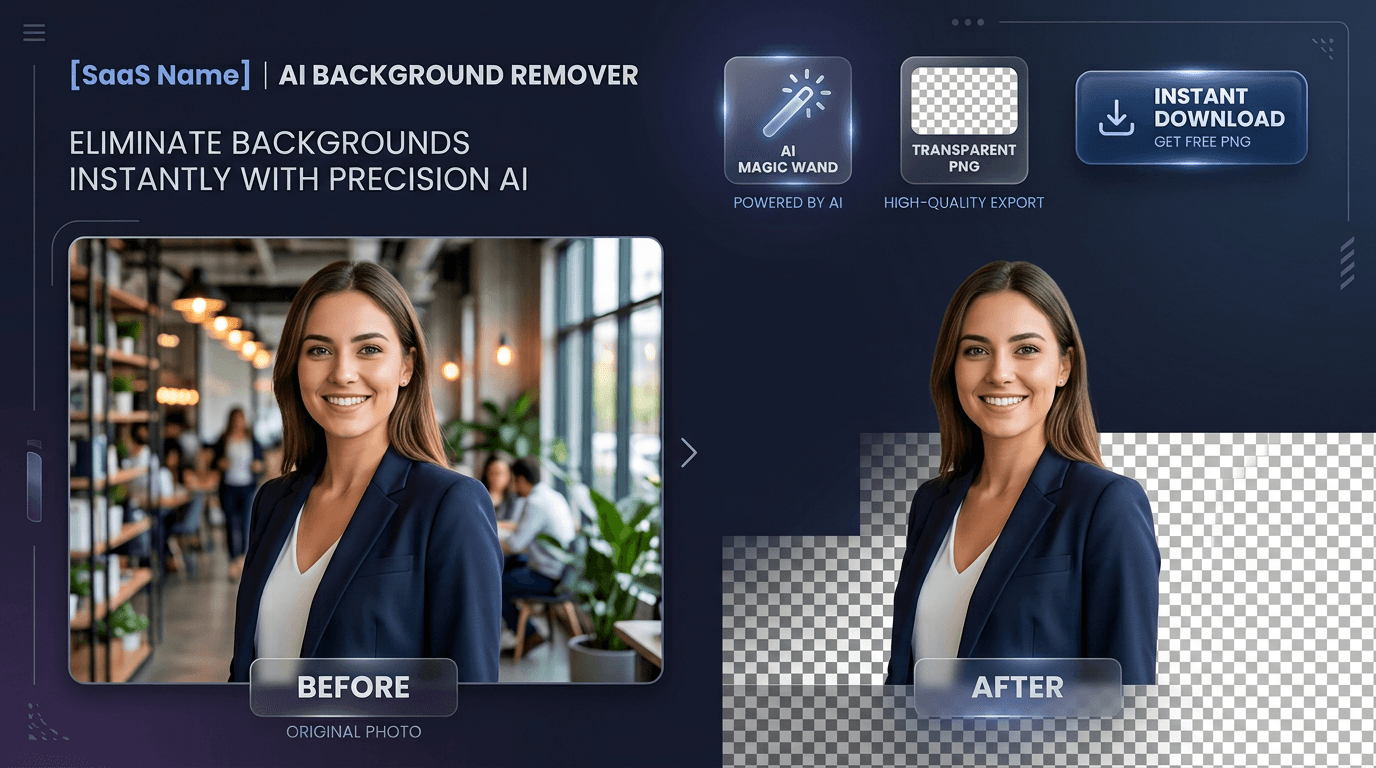
BG remover by Toolyconvert lets you remove image backgrounds online in 2–5 seconds using advanced AI. Automatically isolate people, products, hair, and complex edges into crystal-clear transparent PNGs—100% free, no sign-up, and no watermarks
About this tool
About Background Remover
Background Remover is a free AI-powered tool that lets you remove image backgrounds automatically in seconds. Simply upload any image and get a clean transparent background with precision AI detection that handles hair, fur, products, and complex edges. It supports JPG, PNG, WebP → PNG (transparent) conversion. While processing happens on our secure server for the AI model, images are immediately deleted after processing and never stored long-term. Perfect for e-commerce sellers, photographers, designers, and content creators who need professional background removal without expensive software.
How to use Background Remover
1
Upload Image
Drag & drop, paste, or click to upload. Supports JPG, PNG, and WebP up to 20MB.
2
AI Processing
Our AI model detects the subject and creates a precise alpha mask in seconds.
3
Preview & Adjust
Compare before/after with the slider. Optionally add a custom background color.
4
Download
Get your transparent PNG or smaller WebP file. No watermark, no limits.
Key features
AI-Powered Removal
Deep learning model detects subjects and removes backgrounds with precision u2014 handles hair, fur, and complex edges automatically.
Instant Results
Get your transparent image in 2-5 seconds. No manual editing or color picking required.
PNG & WebP Output
Download as transparent PNG (lossless) or WebP (smaller file size). Perfect for web and print.
Before/After Preview
Interactive slider shows original vs removed background side-by-side before downloading.
1 / 3
Pro Tips for Perfect Background Removal
Trusted by creative professionals globally
E-commerce
Clean white-background product photos for Amazon, Etsy, and Shopify listings.
Example: Remove the background from product photos to create clean, professional listings that convert better.
Profile Photos
Remove messy backgrounds from headshots for LinkedIn, resumes, and ID photos.
Example: Create a professional LinkedIn profile picture by removing the distracting background.
Photography
Isolate subjects for compositing, collages, and creative photo manipulation.
Example: Remove the background from a portrait to composite it onto a different scene for creative projects.
Web Design
Create transparent assets for websites, banners, and marketing materials.
Example: Remove backgrounds from icons and graphics to use them as transparent elements on your website.
Social Media
Make stickers, overlays, and profile elements with transparent backgrounds.
Example: Create custom Instagram stickers by removing backgrounds from your designs.
Graphic Design
Extract subjects for logos, illustrations, mockups, and presentation slides.
Example: Remove the background from a logo to use it on different colored backgrounds in your designs.
Mobile App Assets
Create transparent icons and graphics for mobile app interfaces and assets.
Example: Remove backgrounds from app icons to use them in your mobile application.
Editorial Use
Isolate subjects for news articles, blog posts, and editorial content.
Example: Remove the background from a product image to use in a news article about the latest tech gadgets.
Product Mockups
Remove backgrounds from product images to use in mockups and presentations.
Example: Create professional product mockups by placing your designs on clean, transparent backgrounds.
Video Production
Create transparent overlays, lower thirds, and graphics for video editing.
Example: Remove backgrounds from graphics to use as transparent overlays in your video projects.
Professional Background Removal Applications
Trusted by designers, photographers, and e-commerce sellers
Use High-Quality Source Images
Start with the highest resolution image possible. The AI works best with clear, well-lit photos.
Ensure Good Contrast
Images with good contrast between subject and background give the best results. Avoid busy or similarly-colored backgrounds.
Crop First for Better Results
Use our Crop Image tool first to frame your subject properly before removing the background.
Check the Preview
Always use the before/after slider to check the results. The AI is accurate, but a quick review ensures perfection.
Refine with Editor
For complex images, use our Image Editor tool to manually refine edges after AI removal.
Use Custom Backgrounds
After removal, add a custom background color that matches your project requirements for a professional finish.
Layer for Complex Designs
Use our Mockup Editor to place your transparent image onto different backgrounds and products.
Batch Process for Efficiency
Upload multiple similar images at once for batch background removal to save time.
Choose the Right Format
Use PNG for lossless quality with transparency, or WebP for smaller file sizes. Choose based on your use case.
Optimize for Mobile
Remove backgrounds from images to create mobile-optimized assets that load faster on smartphones.
Yes. Removing image backgrounds is completely free with no sign-up, no watermark, and no daily limits. Upload an image and download the transparent result in seconds.
What image formats can I upload and download?
You can upload JPG, PNG, or WebP images up to 20MB. Download the result as a transparent PNG (lossless) or a smaller WebP file, both with a fully transparent background.
Does it handle hair, fur, and complex edges?
Yes. The deep-learning model is trained to detect subjects and preserve fine detail like hair strands, fur, and soft edges, so cut-outs look clean without manual masking.
Are my uploaded images kept private?
Images are processed to generate the cut-out and are then deleted automatically. They are never stored long-term, sold, or shared with third parties.
Can I replace the background with a solid color?
Yes. After removal you can keep the transparent background or replace it with white, black, or any custom color, which is ideal for e-commerce product photos.
How long does background removal take?
Most images finish in about 2 to 5 seconds depending on size and complexity. There is no queue and no manual editing required.
Do I need to create an account?
No account or email is required. You can use the background remover instantly without registering or sharing any personal details.
Does it work on mobile devices?
Yes. Background Remover works in any modern mobile browser. Perfect for removing backgrounds on the go from your smartphone or tablet.
Can I remove backgrounds from multiple images at once?
Yes! Upload multiple images and our batch processor will remove backgrounds from all of them in one go.
What makes this background remover different from others?
Our AI model is specifically trained for high precision with complex edges. Unlike basic tools that struggle with hair and fur, our deep learning approach delivers professional-quality results.
Can I edit the result after removal?
Yes. After downloading, you can use our Image Editor tool to further refine the cut-out, adjust edges, or add additional effects.
Does the tool work with all types of images?
Yes. It works with portraits, product photos, landscapes, graphics, logos, and more. The AI automatically adapts to the subject in your image.
Can I get a transparent background for print?
Yes. Download as transparent PNG for print applications. The transparency is preserved at high resolution for professional printing.
Is there a file size limit?
You can upload images up to 20MB in size. This is sufficient for most high-resolution photos and graphics.
What if the AI makes a mistake?
While our AI is highly accurate, you can use our Image Editor tool to manually refine the edges if needed. The preview slider lets you check the results before downloading.