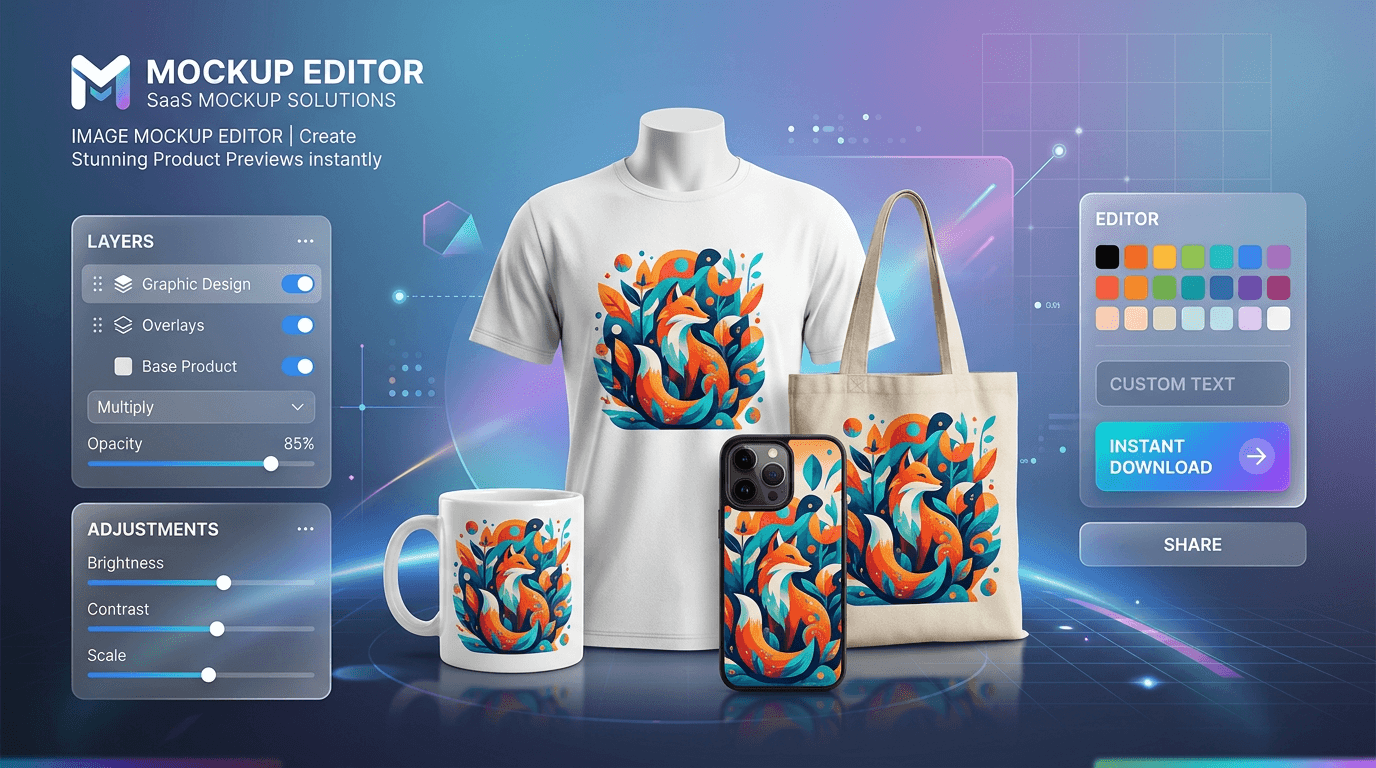
How to create product mockups online for free without paying for expensive 3D rendering software, complex Photoshop smart objects, or recurring monthly generator subscriptions is a vital skill for every modern creator and e-commerce seller.
High-converting product imagery is the single most important factor for success on marketplaces like Etsy, Shopify, Amazon, and Redbubble. Online shoppers cannot touch or wear your products—they rely entirely on realistic preview images to evaluate how your artwork, apparel logo, or branding looks in the real world on physical items like cotton T-shirts, ceramic coffee mugs, tote bags, and phone cases.
In this comprehensive guide, you will learn var(--ink-primary)]">how to create product mockups online for free in under 60 seconds using the [Toolyconvert Image Mockup Editor—complete with automatic AI background removal, multi-layer controls, and realistic blend modes.
---
Why Use a Browser-Based Image Mockup Editor?
Traditionally, making realistic mockups required downloading multi-gigabyte PSD templates and navigating complex Photoshop layer masks. Other online mockup generators slap heavy watermarks across your designs and charge $10 to $30 a month just to download standard-definition files.
Using the Toolyconvert Image Mockup Editor gives you distinct advantages:
- Integrated AI Background Removal: If your uploaded logo or illustration has a white or colored backdrop, the built-in AI automatically cuts it out into a clean transparent PNG in seconds.
- Realistic Fabric & Surface Blending: Switch blend modes to Multiply or Overlay so that natural garment wrinkles, shadows, and ceramic reflections show through your artwork for a true-to-life printed look.
- 100% Free with No Watermarks: Download unlimited high-resolution mockups for commercial use with zero fees, subscriptions, or intrusive stamps.
- 100% Private & Client-Side: All image composition and rendering happen locally in your browser. Your proprietary brand artwork never gets uploaded to third-party servers.
- No Software or Account Required: Start editing immediately on desktop or mobile without registering an account.
---
Step-by-Step: How to Create a Product Mockup in 4 Simple Steps
Follow this quick tutorial to generate your first studio-grade product mockup:
Step 1: Select a Product Template (or Upload Your Own Base Photo)
Visit the Toolyconvert Image Mockup Editor. Choose from popular built-in templates:
- •Apparel: White T-Shirts, Hoodies, Canvas Tote Bags
- •Drinkware: Ceramic Coffee Mugs, Travel Tumblers
- •Tech & Accessories: Phone Cases, Laptop Covers
- •Wall Art & Decor: Framed Posters, Canvas Prints
Pro Tip: You can also upload any custom product photo or blank merchandise picture from your computer or phone (supports JPG, PNG, and WebP up to 20MB).
Step 2: Upload Your Design or Logo
Click "Add Design" to upload your graphic, typography file, or illustration. If your graphic has a solid background, Toolyconvert's integrated AI will automatically isolate the design on a transparent layer.
Step 3: Position, Scale & Adjust Layer Blending
- •Position & Scale: Drag the design to your desired location (e.g., chest print on a shirt or front-and-center on a mug) and resize using the corner handles.
- •Apply Realistic Blend Modes: In the layer settings panel, change the blend mode from Normal to Multiply. This allows the natural light, shadows, and subtle folds of the product surface to blend organically into your graphic.
- •Adjust Opacity: Set opacity to 85%–95% to mimic real screen-printing or sublimation ink textures.
Step 4: Export Your High-Resolution Mockup
Click "Download Mockup" to export your finished image in high-resolution PNG or JPG format. Your mockup is immediately ready to publish on your e-commerce storefront, portfolio, or social media feed.
👉 var(--ink-primary)]">[Launch the Image Mockup Editor Now
---
Pro Secrets for Ultra-Realistic Product Mockups
| Technique | How to Apply It | Visual Result |
|---|---|---|
| Multiply Blend Mode | Set the graphic layer to Multiply over light or white apparel. | Ink blends with cotton folds and wrinkles rather than looking like a flat sticker. |
| Subtle Opacity Drop | Lower layer opacity to 90%–94%. | Eliminates harsh digital contrast and mimics physical screen printing ink absorption. |
| Curved Surface Alignment | Position artwork slightly off-center and scale horizontally for cylindrical items like mugs. | Replicates the natural 3D curvature and perspective of drinkware. |
| High-Contrast Base Photos | Choose product base templates with natural directional lighting. | Gives your final product mockup depth, dimensionality, and high perceived value. |
---
Comparison: Toolyconvert vs Placeit vs Photoshop
| Feature | Toolyconvert Mockup Editor | Placeit (Envato) | Adobe Photoshop CC |
|---|---|---|---|
| Cost | 100% Free Forever | $14.99 / month or $9.95/mockup | $22.99 / month |
| Watermarks | None | Yes (Unless paid) | None (Paid) |
| AI Background Remover | Built-in & Automatic | Manual Upload | Requires cloud tools |
| Privacy & Security | 100% Client-Side Local | Files sent to cloud servers | Local install |
| Ease of Use | Instant (Drag & Drop) | Template-based | High learning curve |
| Export Resolution | Full Resolution HD | Low-res on free | Unlimited |
---
Top Product Categories You Can Create
- Apparel & Streetwear: Showcase t-shirt graphics, hoodie designs, and embroidered hats for brand lookbooks.
- E-Commerce Drinkware: Create mug mockups for gift shops, holiday promotions, and corporate swag.
- Digital Prints & Posters: Display digital artwork, typography quotes, and photography in modern wooden poster frames.
- Tote Bags & Eco-Fashion: Mock up reusable canvas bags and lifestyle accessories for Etsy shops.
- Tech Accessories: Preview mobile phone cases and laptop stickers with vibrant, edge-to-edge color rendering.
---
Frequently Asked Questions (FAQ)
Can I use these product mockups for commercial listings on Amazon and Shopify?
Yes! All mockups generated with Toolyconvert are 100% royalty-free and can be used on commercial stores (Amazon, Shopify, Etsy, WooCommerce), advertising campaigns, and social media.
What should I do if my logo has a white background?
Simply upload your image into the mockup editor. The built-in AI will automatically detect the background and remove it, leaving only your clean transparent logo.
What is the best blend mode for white T-shirts?
The Multiply blend mode is best for white and light-colored t-shirts. It multiplies the luminosity of the base shirt texture onto the design layer, preserving realistic fabric shadows and creases.
Is Toolyconvert Image Mockup Editor free to use?
Yes, it is completely free with unlimited exports, no daily limits, and zero watermarks.
---
Ready to Create Stunning Product Mockups?
Transform your 2D designs into professional, high-converting product showcases in seconds.
👉 var(--ink-primary)]">[Start Creating Mockups for Free
---
Related Tools for Creators & Sellers:
- •AI BG Remover — Remove backgrounds from portraits and product shots in seconds.
- •Image Compressor — Optimize mockup file sizes for lightning-fast website load speed.
- •Image Resizer — Format mockups to exact Etsy, Amazon, and Instagram aspect ratios.
- •Edit PDF Online — Add text, logos, and signatures to product invoices and receipts.